New Permanent Live Showcase Links on Pro & Business Pro
Your job photos, turned into posts that win work.
GalaRay is the before & after camera, editor and showcase built for service businesses. Shoot the job — GalaRay lines up the after, puts your brand on it, writes the caption and sends your customer a page worth sharing.
7-day free trial on Pro — cancel any time, no charge if you cancel.
AI caption“Ten years of grime, gone in an afternoon.”
Built forPressure washingPaintingLandscapingDetailingCleaning…and every trade with a before
Features
Everything between the last photo and the next job
Every feature exists to remove a step between finishing a job and having something worth posting — and worth sending to the customer.
Signature
AI GalaRay Flow
The whole job, automated end to end. Shoot every before with no pop-ups, let Ghost Camera line up each after, and GalaRay pairs them, brands every side-by-side and publishes a Live Showcase Link your customer can open.
Free includes one flow, so you can see it work on a real job before you pay a thing.
Shoot every beforeOne tap each, no pop-ups
Ghost Camera lines up each afterEach before comes back as an overlay
Auto-paired & brandedEvery side-by-side, your logo on each
Published as a Live Showcase LinkReady to send to the customer
Ghost Camera
Your before appears faded over the live camera. Line the two up until the match meter turns green and it locks on — turn on auto-capture and it takes the shot for you.
Match 97% · Locked
Permanent on paid plans
Live Showcase Links
A private, branded web page of the finished job that you send as one link. Nothing to install — it opens in any browser.
Opens like a gift — your Thank You note first, then the photos and videos of the job.
Amount Due with your payment links — Zelle, Venmo, Cash App, Apple Pay, Google Pay, PayPal, Square or Stripe. GalaRay never touches the money.
A coupon for their next job, plus your review and social links.
Live Showcase Hub — one permanent portfolio link and QR code for all your work.
Free: 1 link for 30 days · Pro: up to 15 permanent links at a time · Business Pro: unlimited permanent links
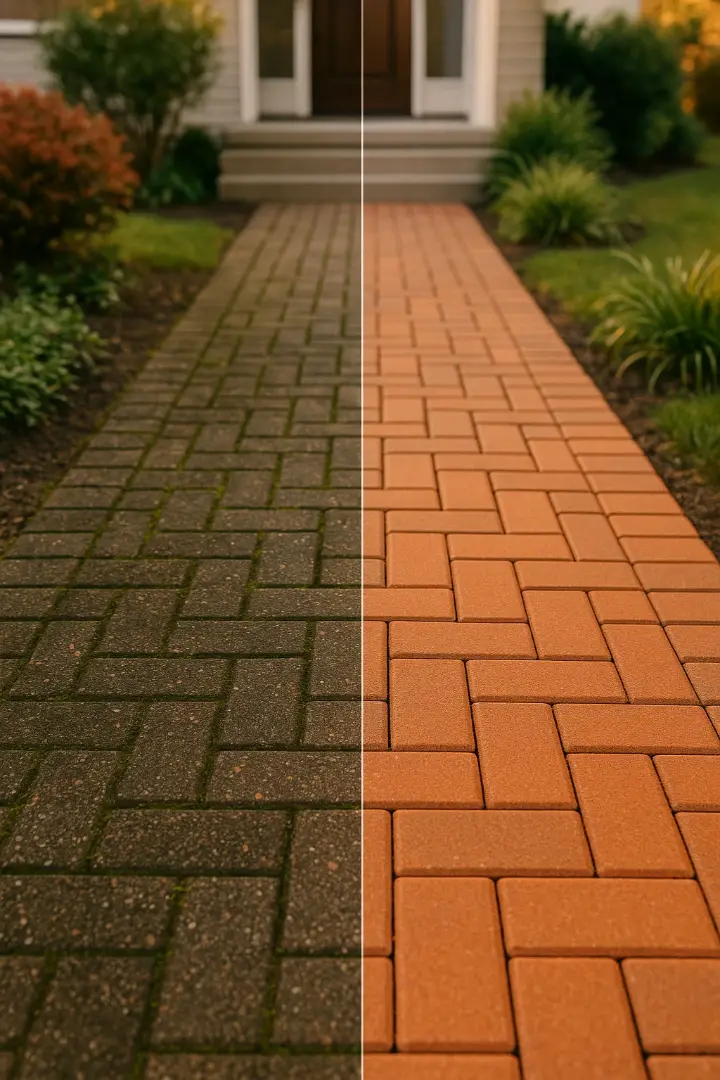
Brick Patio RestoreThank You!
Thanks for choosing us — enjoy the new patio.
Amount Due$450.00
ZelleVenmoPayPalApple Pay
Your CouponSPRING1515% off your next clean
Before & after Video Posts
Pick a before clip and an after clip and GalaRay cuts them into one edited video, right on your phone — cinematic reveals, BEFORE/AFTER titles, your brand, and a real music track with every cut on the beat.
Five styles, four formats — Reels, portrait, square and wide.
Trim any clip in a project, and keep the original if you like.
AI slider videos turn any photo pair into an animated slider.
Reels
Portrait
Square
Wide
Unlimited on Business Pro
AI Content Studio
Reads your actual photos — not just your trade — to write captions and on-video text that describe the real transformation, then builds ready-to-post videos and posters.
AI caption
“Ten years of grime, gone in an afternoon. Same patio — back to the colour it was laid in.”
#pressurewashing #beforeandafter
Before & after editor + Brand Kit
Every layout and label style, with your logo, business name, phone and accent colour on every post. Save your whole look as a Preset, and let AI Align match position, zoom and angle for you.
YYour Business(555) 010-0199 · yourbusiness.com
ClassicImpactSerifScriptMarker
Cloud Save
Upload to Cloud backs your projects up; Download from Cloud brings them back on a new phone. 50 GB on Pro, 200 GB on Business Pro — your Live Showcase Links count toward it.
AI Bulk Import
Point it at a camera roll full of jobs and it finds the matching before & after pairs — even from a different angle, distance or light. You just pick the winners.
Paired ✓
Paired ✓
Paired ✓
Documentation Mode
Photograph and film everything that isn't a before & after — damage, meters, access — into a separate, unbranded Docs folder, and mark it up.
Ask for the review
Save your Google review link once and it rides along with your shares and your Live Showcase pages — right when the customer is happiest.
Home screen widget
Your recent projects, the camera and a one-tap AI GalaRay Flow, right on your iPhone or Android home screen.
Real screens
This is the app, not an illustration.
Every picture below is an unretouched screenshot of GalaRay with a real job in it — and the first one is a Live Showcase Link that went to a real customer.
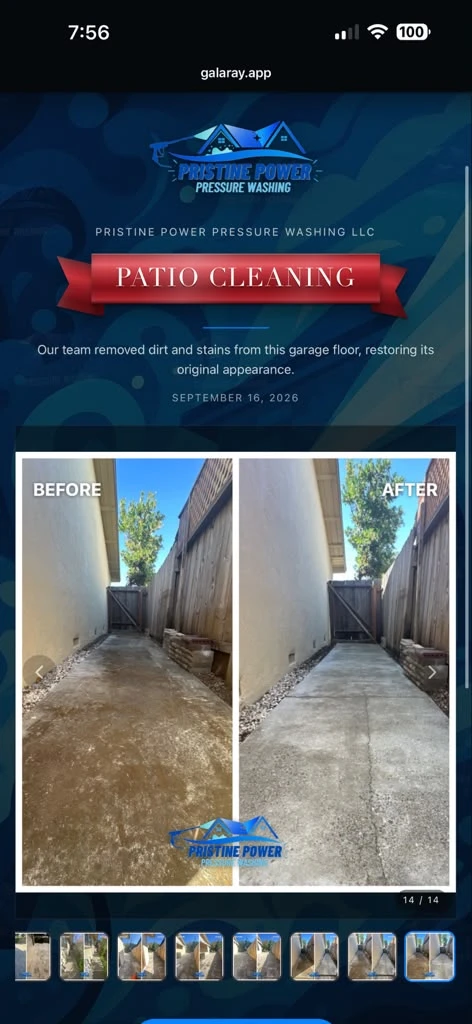
A real customer page
Pristine Power Pressure Washing sent this one.
A Live Showcase Link is a private web page of the finished job, published from the app in a couple of taps and sent as a single link. This is one of them, exactly as the customer opened it: the business’s own logo and banner, the before & after, and the other thirteen photos of the job on the rail underneath. Nothing to install, nothing to sign up for.
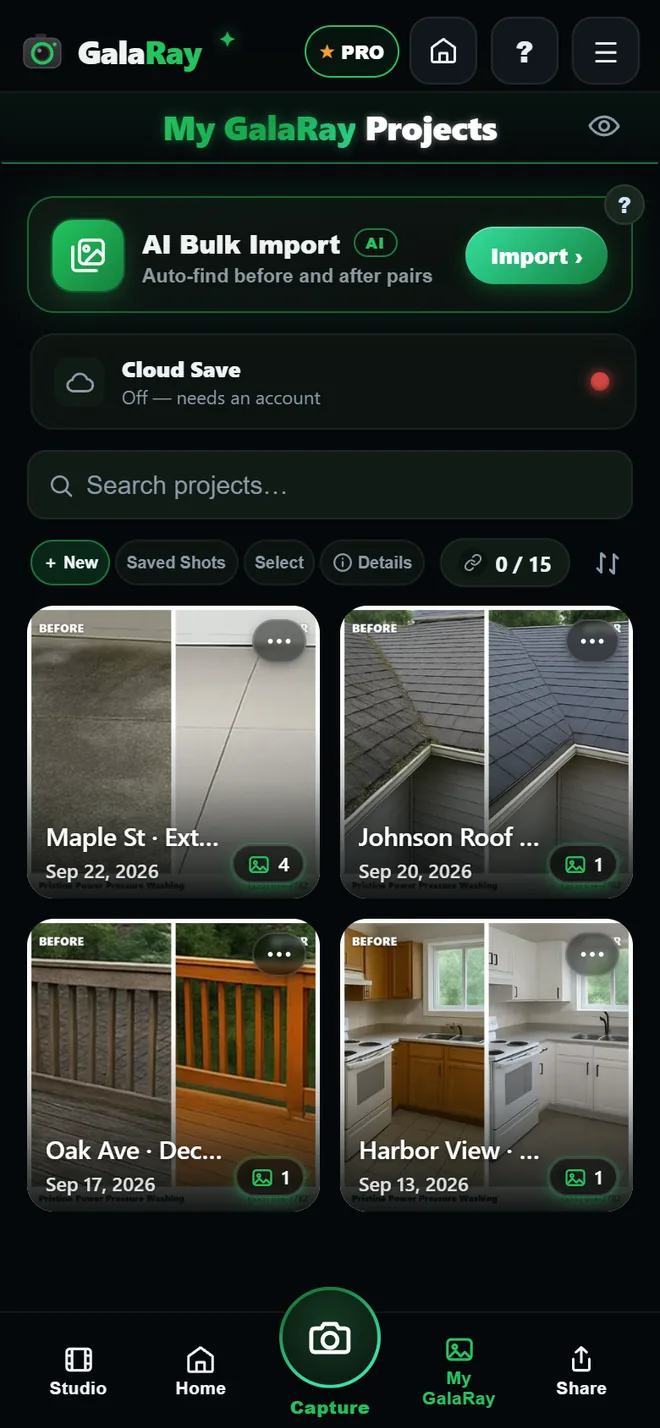
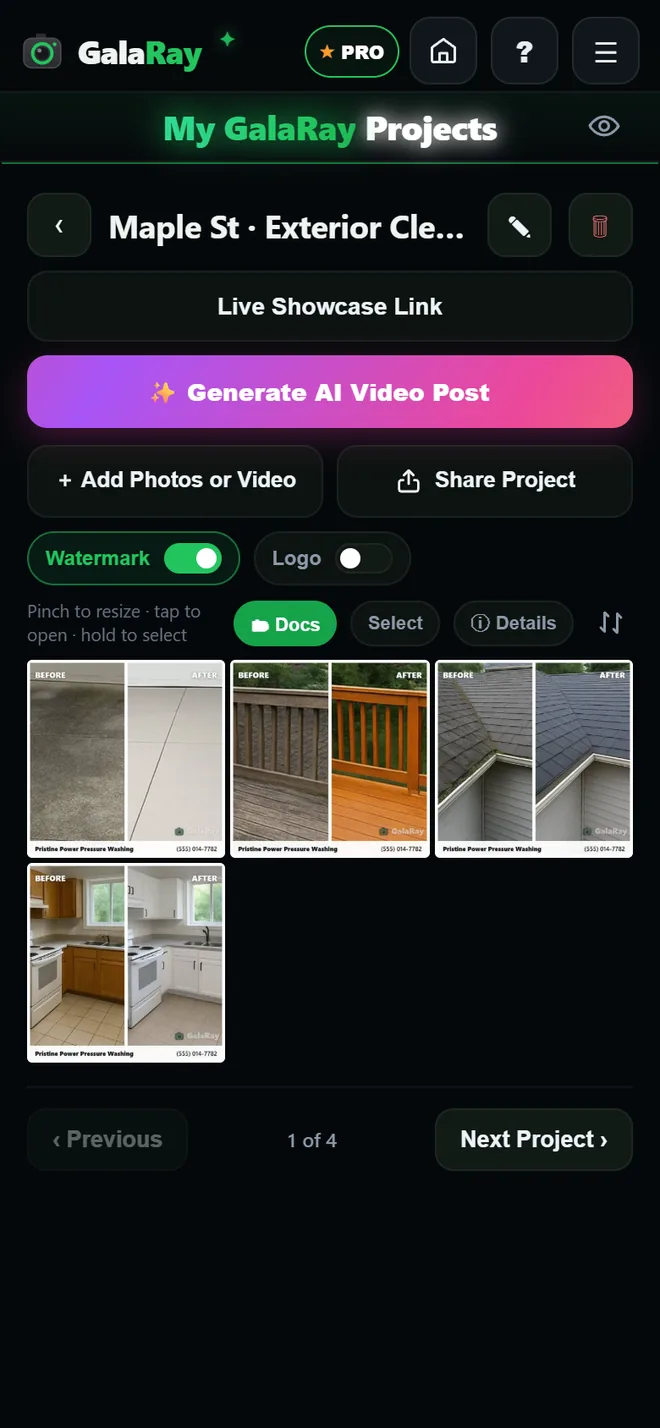
Every job in one placeEach project’s cover is its own before & after, with the date and the photo count.
Inside a jobFour finished before & afters, already branded — share them, or publish the whole job as one link.
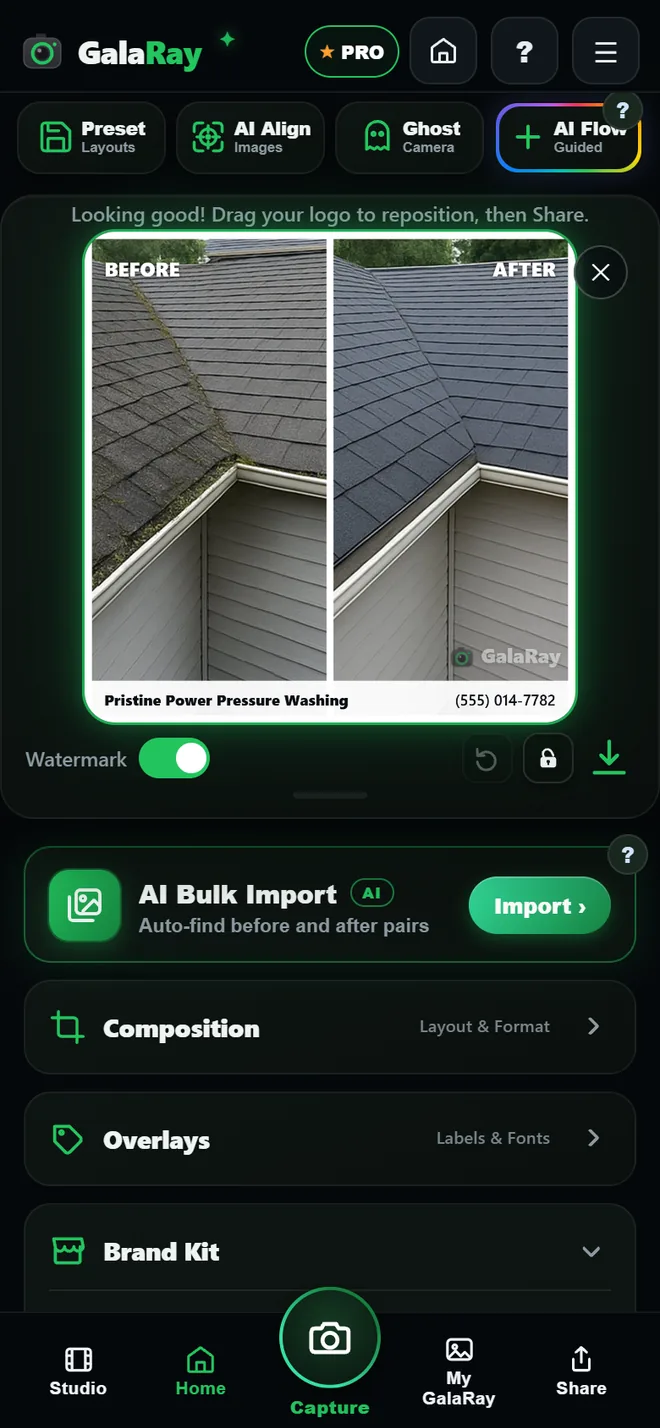
The finished postYour name and number on the picture. The watermark switch is the whole of the free-versus-paid difference.
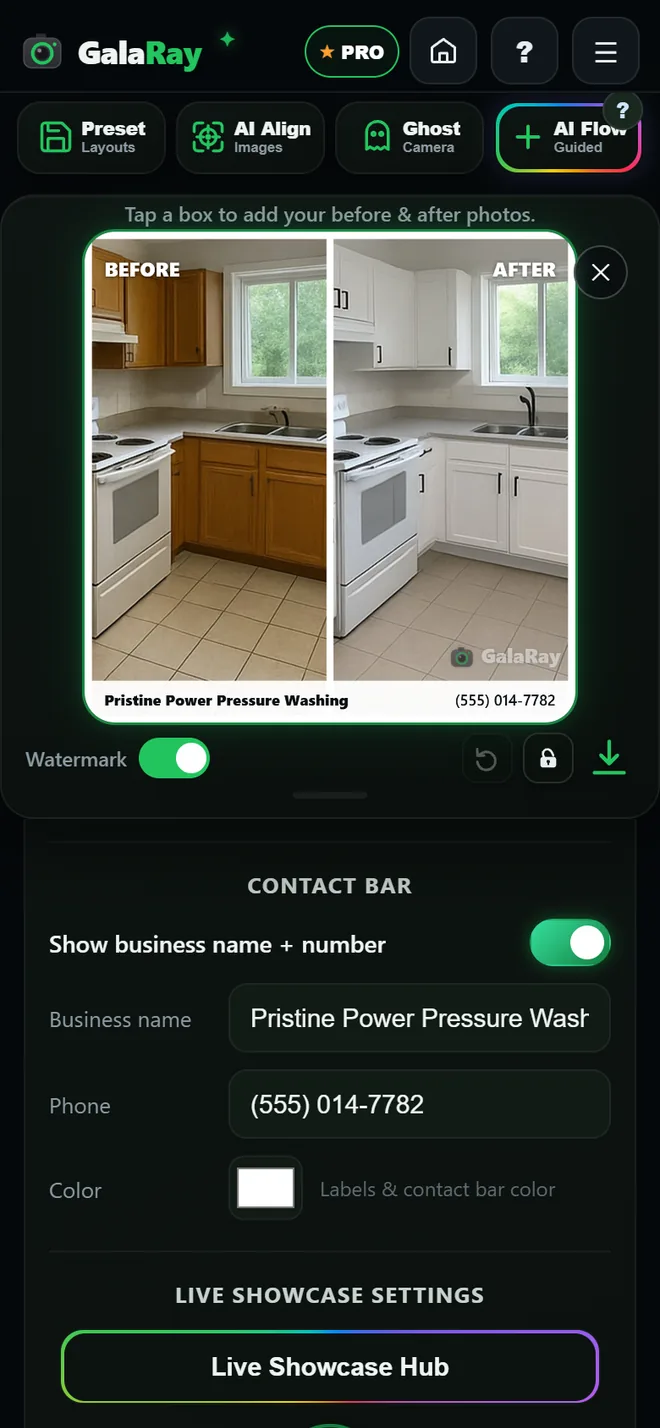
Brand KitLogo, business name, phone and colour — set once, and they go on everything you make.
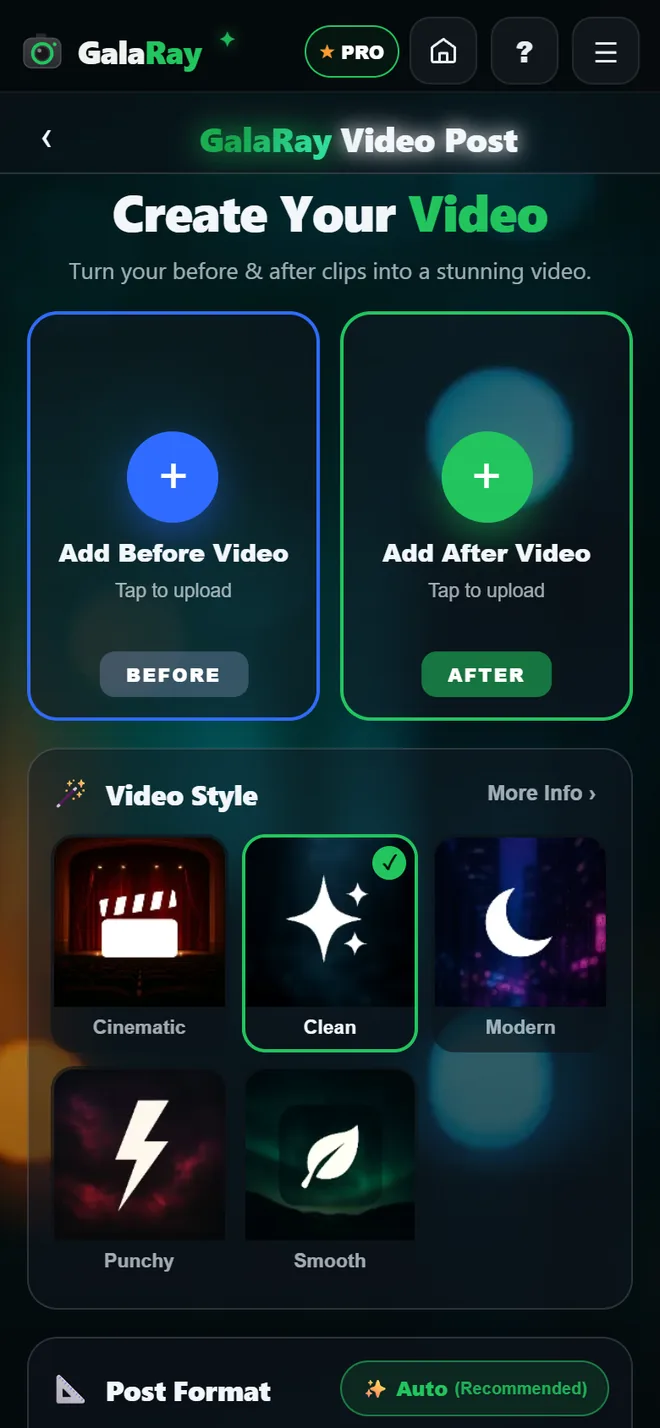
Video PostsA before clip and an after clip become one edited video, cut on the beat, on your phone.
Screens captured from the current build. The Ghost Camera needs a live camera, so it isn’t shown here — read what it does.
How it works
Three steps, start to sent
No design skills, no editing software, no hunting through your camera roll.
Shoot your befores
Start a project — or an AI GalaRay Flow — and photograph the site. Every shot is saved and tracked for you.
Do the work, then shoot the afters
Ghost Camera brings each before back as an overlay so every after matches it. Skip any you don't want.
Post it and send it
Pick a layout or make a video, let AI write the caption, and send the customer a Live Showcase Link — with your branding, review link and payment links already on it.
Plans
Start free. Upgrade when it's winning you work.
Posting is unlimited on every plan — the difference is whose brand is on the post and how much of the work GalaRay does for you.
Free
$0
Free forever
Unlimited before & after posts, with a small GalaRay watermark
Ghost Camera, projects and every layout
1 Live Showcase Link for 30 days
Try AI GalaRay Flow and AI Bulk Import on a real job
New subscribers start with a 7-day free trial. Prices in USD — your app store shows your local price. Just want the watermark gone? There's a one-time purchase for that too. Compare every feature →
Privacy
Your photos stay yours
A free account is all GalaRay asks for, and only after you've tried it — signing in doesn't move your photos anywhere: they stay on the phone, and the app keeps working with no signal. Anonymous usage & crash reports help us improve the app — never your photos, never for advertising, and you can switch them off in Settings. Read the full privacy policy →
Done on your phoneEditing, pairing, alignment, the Ghost Camera match and video creation all happen on the device.
Nothing leaves unless you choosePhotos only leave your phone when you Upload to Cloud, publish a Live Showcase Link or use the AI Content Studio.
Location stays on the deviceGPS and location details are used on the phone to line shots up — never uploaded, never shared.
Your next job is your best advert.
Download GalaRay free on iPhone and Android, shoot your next before, and let the app do the rest.